Inbound follow-up
Make every inbound handoff measurable.
Use QFlow conversion analysis to connect a buying signal with the response it receives. See which leads get timely follow-up, which wait, and which have no recorded response.
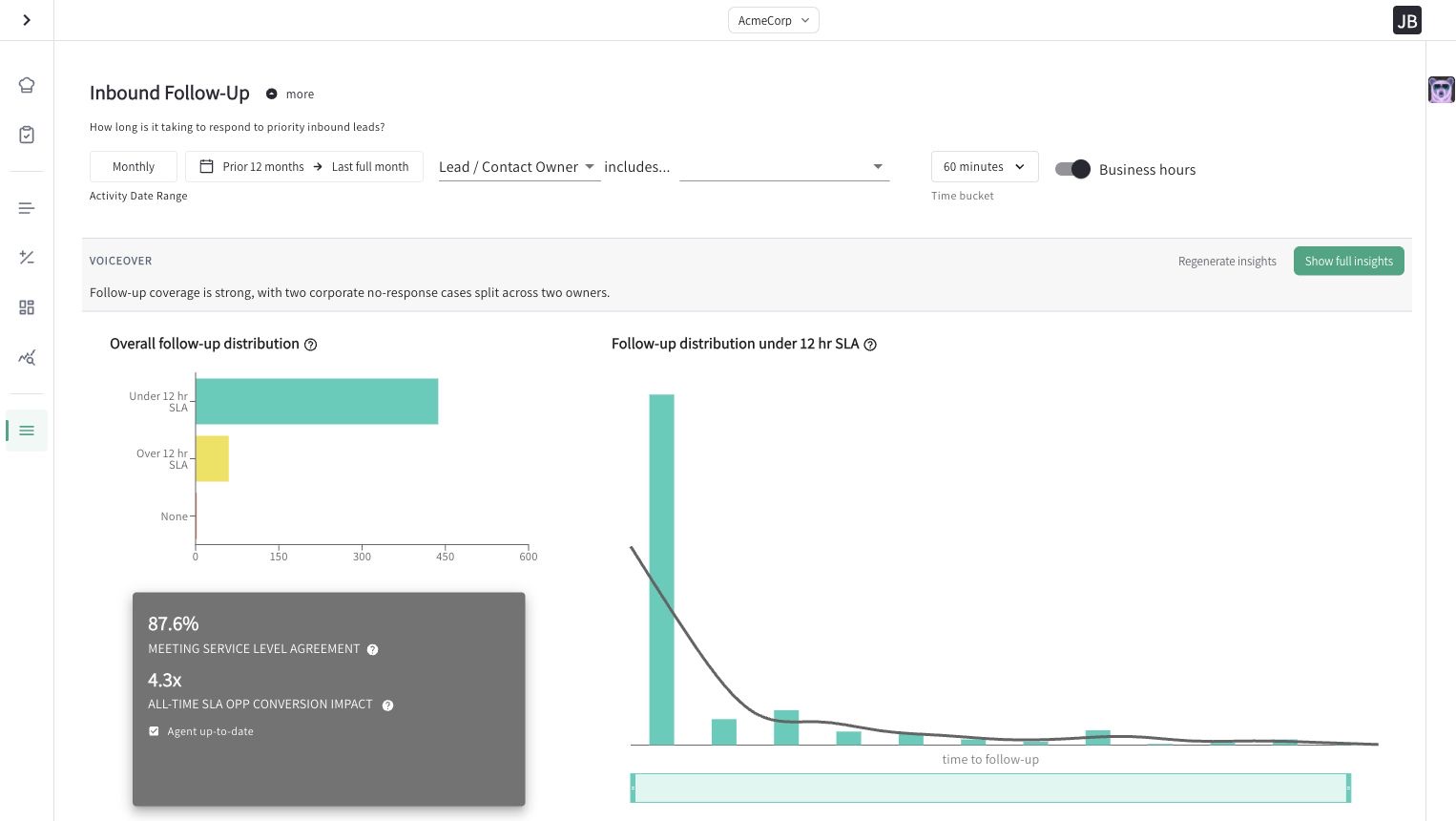
Measure response times against your service-level target. Compare owners and response-time buckets using the same business-hours or calendar-time rules.
Trusted by








Define the handoff before measuring the speed.
A useful response-time metric starts with clear events. Keep the signal, the qualifying response, and the clock explicit so each review answers the same question.
The signal
Choose the event that starts the clock, such as a demo-request campaign response, a qualifying new lead, or a recorded inbound task.
The response
Specify which follow-up activity or lead-field change counts. Keep form submissions and automated activity out of the response definition when they do not represent the handoff you want to measure.
The clock
Set the response target and compare business hours or elapsed calendar time. Use the same rules when reviewing owners, periods, and response-time buckets.
Find the gaps an average hides.
An average response time can look healthy while individual buyers are still waiting. Separate timely, late, and missing follow-up, then inspect the people and events behind each group.
- Review the full response-time distribution against your target.
- Compare lead owners or responders over a consistent period.
- Inspect the underlying records before changing routing, coverage, or coaching.
- Bring follow-up cohorts into the broader conversation about qualification and conversion.
One step in the conversion journey
The first response is only the beginning.
Extend the question to qualification, deal progression, and wins. Define the conversion events, rerun the same analysis, and use deal summaries and win/loss evidence to investigate what follows the handoff.
Keep timing and outcomes in context.
Compare similar cohorts and inspect their differences. A relationship between response speed and conversion is a starting point for investigation, not proof that speed alone caused the outcome.
Explore conversion and deal analysisA closer look at inbound follow-up
What can count as an inbound signal?
Use the recorded events that represent intent in your business. QFlow supports definitions based on campaign membership, lead creation, or inbound tasks, with criteria to select the records that matter. A demo request is one example, not a required definition.
What counts as a response?
You define the qualifying follow-up. It can be a subsequent activity on the lead or contact, or a specified change to a lead field. Activity criteria let you exclude records such as form submissions or automated email events when they should not count as a response.
Can we review business hours and historical activity?
Yes. Switch between business-hour and calendar-time measurement, and review historical periods using the events and timestamps retained in your connected systems. Keep the selected clock and response rules consistent when comparing results.
How does this fit into conversion analysis?
Inbound follow-up is one application of QFlow conversion analysis. Start with the transition from an inbound signal to a qualifying response. Broader conversion analysis lets you define subsequent events and outcomes, repeat the analysis, and inspect the deals behind the pattern. Deal summaries and win/loss evidence add context to what happened after the handoff.